Cindy Tsai
I’m a product designer creating enterprise software and B2B platforms, translating complex systems into clear digital experiences.
At Meta, I design AI compliance platforms to identify and mitigate systemic risk. Say hello! You can find me on LinkedIn or reach out over Email.
2025–Now
Meta
2023–2025
Microsoft
2022–2023
Franklin Payroll
2018–2022
Herman Miller
Lead Designer
2023
Shipped
The Edge sidebar is an ecosystem designed to bring utility directly into the browsing experience. It ships with a suite of default productivity apps right out of the box to help users multitask without leaving their active tabs. However, we found that a severe lack of user awareness caused most people to either overlook these tools completely or dismiss the entire interface as browser clutter.
I worked alongside a product manager and an engineer as the lead designer on this retention vertical. My role included designing a progressive onboarding framework and contextual triggers that can turn an ignored browser feature into an indispensable daily workflow.
Tell me more
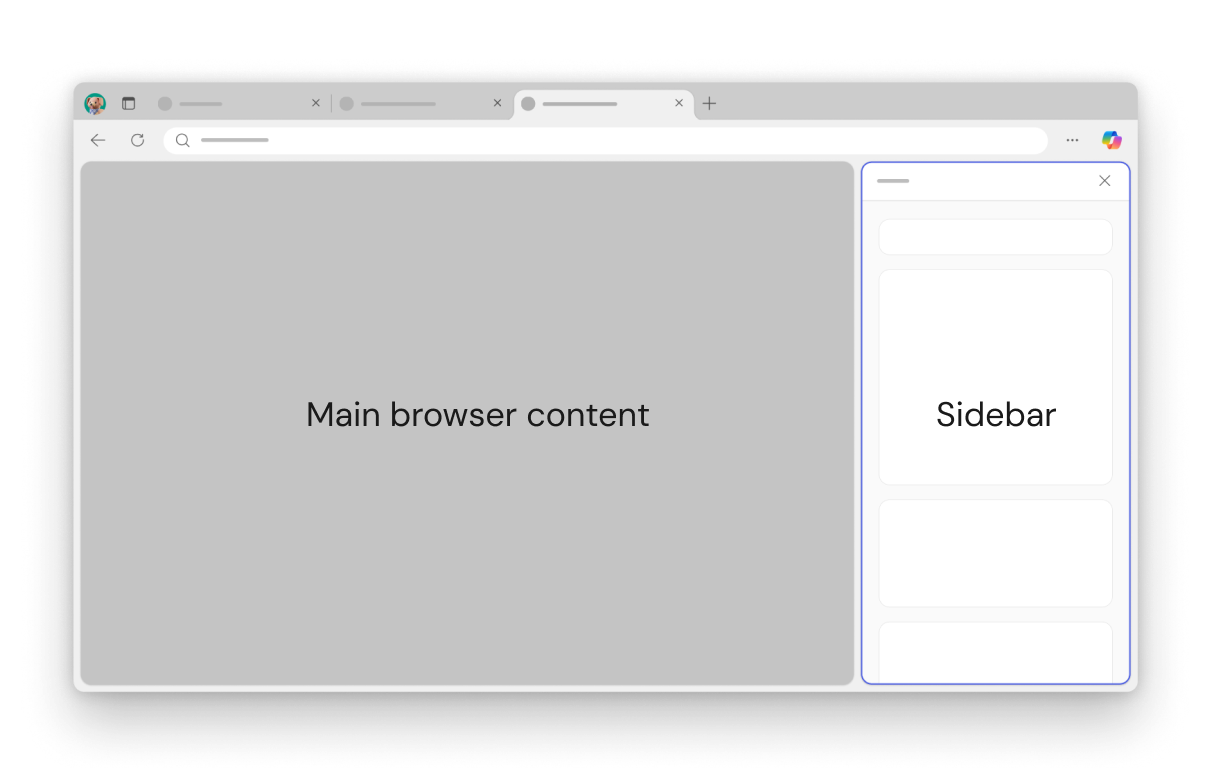
What is Edge sidebar?
The sidebar offers quick access to your tools, apps and websites without leaving the main browsing activity.
The challenge
Stale users & feature blindness
Dormant sidebar states directly degraded our long-term feature adoption ecosystem, stalling a critical engagement vector for the browser platform.
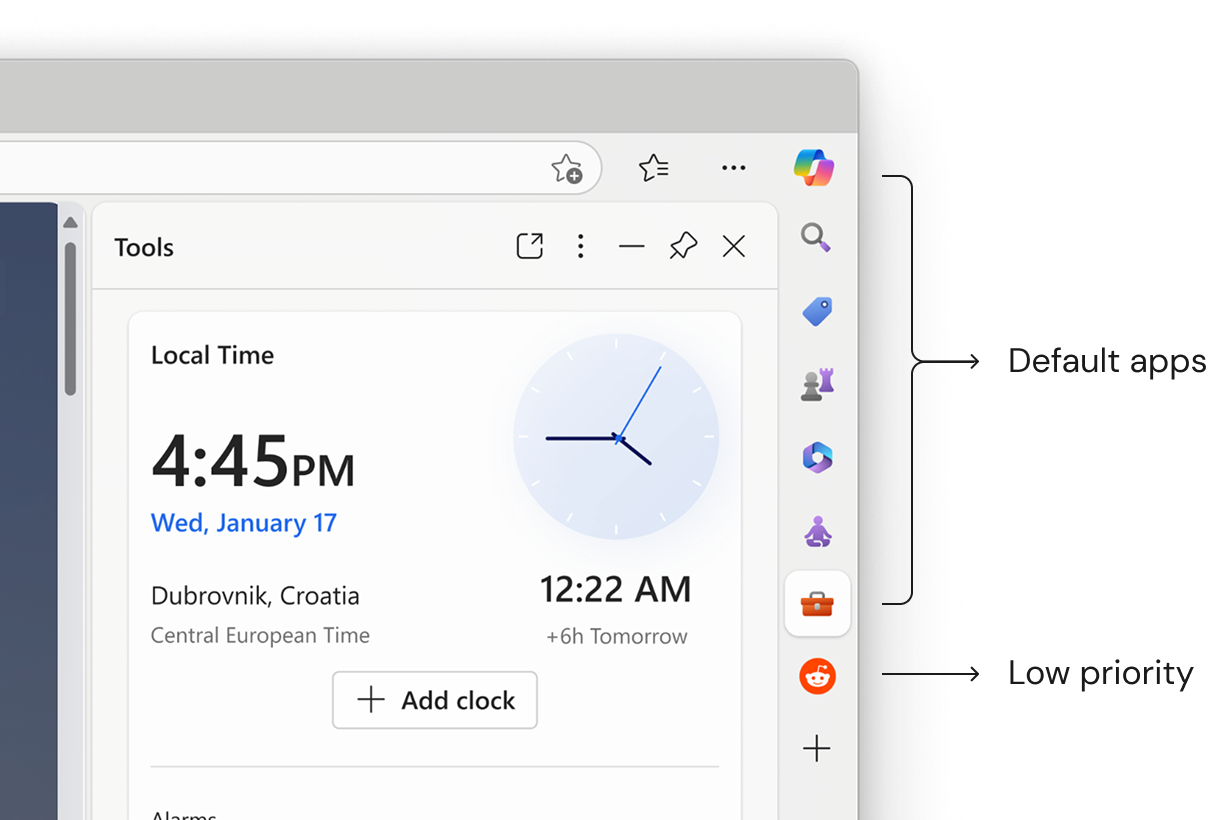
Designing for growth: How might we nudge existing users?
The approach
Dual priority framework
Personalization
Users are more likely to return to something that feels tailored to their needs rather than generic default options.
Contextual guidance
We can drive growth by offering help exactly when and where users need it, building users' trust with the product.
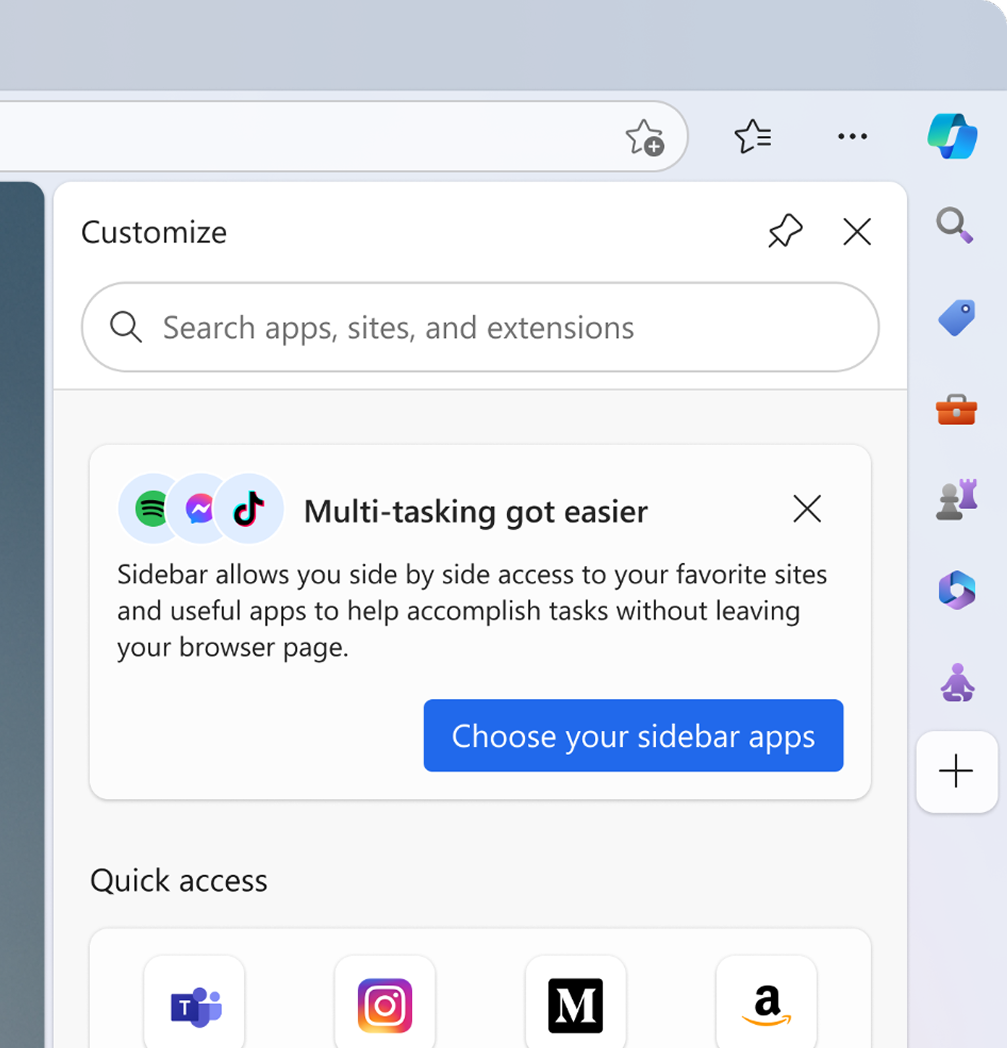
Solution: Customize app
Final decision was to house this notification within the 'customize' app so that it remains accessible post first-run experience without disrupting the users' primary workflow.
Exploration: Notification in omnibox
Main constraint is that the notification in the web URL address bar is reserved for shopping.

Exploration: Tool tip flyout
Targeted towards existing sidebar users as it's a familiar behavior; however it interrupts the user flow by pulling user attention.
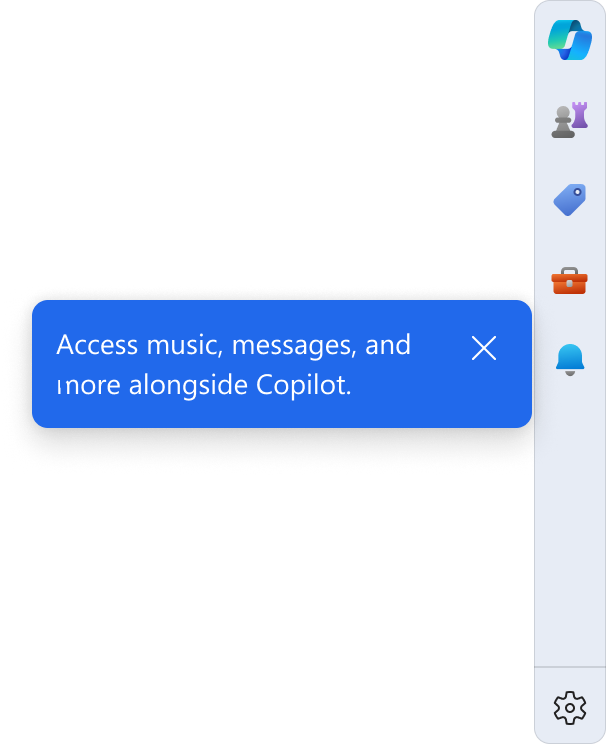
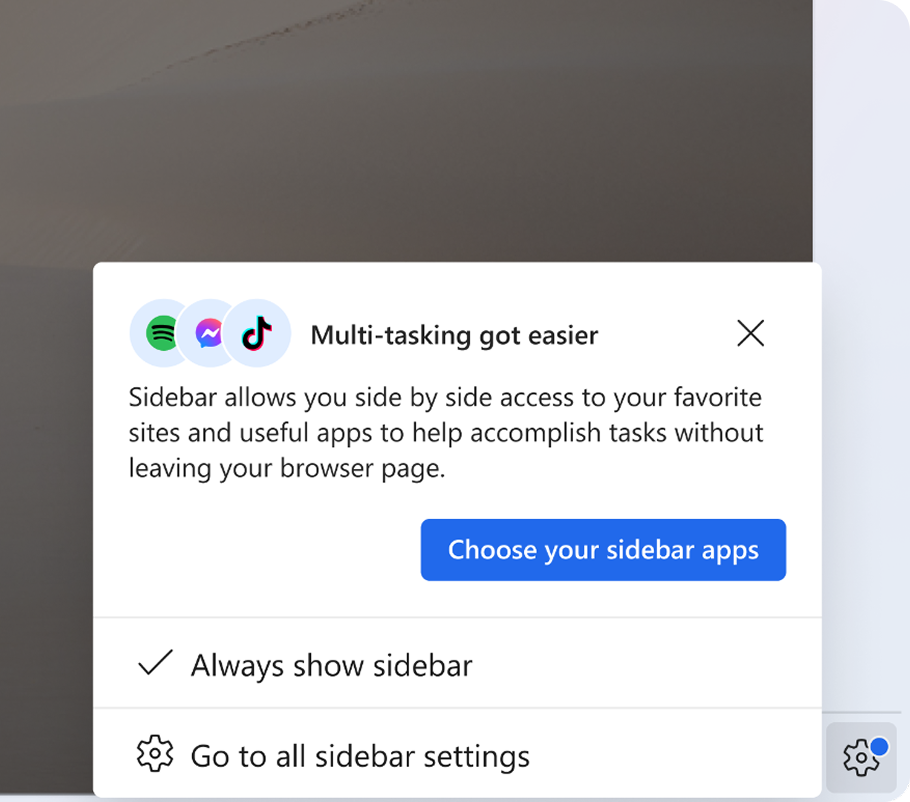
Exploration: Settings gear
This is a low disruptive way to signal attention; however, users may overlook it because they have never used the sidebar before.
From sidebar to full screen
I was able to lift the same core UI patterns out of the sidebar and scale them seamlessly into full-page marketing updates. This system-driven approach ensured absolute visual alignment between what a user sees during a marketing announcement and the actual interactive experience they encounter in their daily workflow.
Strategic outcome
Turning dormant users into active adopters
Surfacing the right trigger at the right moment, anchored in users' existing workflows, converted passive browser cohorts into engaged sidebar users without disrupting the core browsing experience.